
Small Vinyl Scrap Projects: Match the Idea to the Piece You Have
Turn your vinyl scraps into gift tags, notebook decals, and simple labels. Start with the piece you have—we’ll help you find a project that fits.
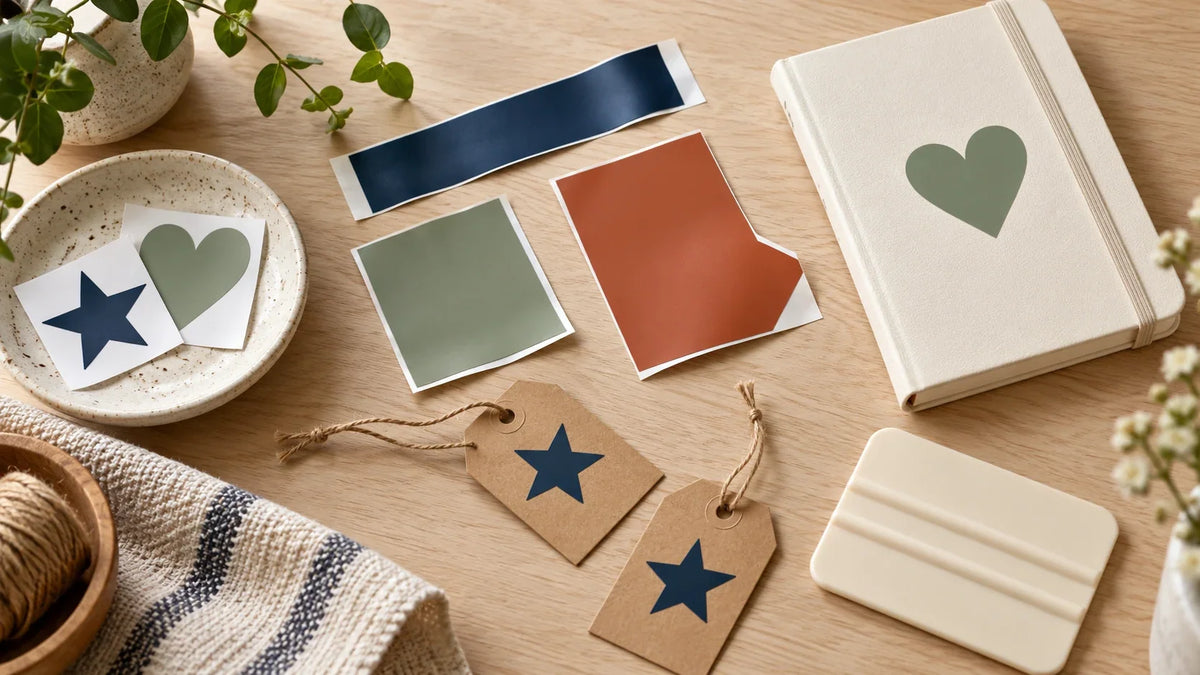
This guide focuses on adhesive vinyl. Iron-on, printable vinyl, and window cling have different workflows. Keep unidentified pieces separate until you can confirm what they are; a similar color does not mean the same material.
First, measure the part you can actually use
Lay the scrap flat with its backing intact. Ignore torn edges, previous cut lines, and sections where the vinyl has lifted. Find a clean rectangle inside what remains and record its width and height. That inner rectangle is a better starting point than the scrap's longest outside dimensions.
Then leave working space around the design. There is no universal margin that makes every scrap safe: the material's condition, mat placement, machine, and design all matter. The examples below deliberately leave visible space; they are planning examples, not minimum machine specifications.
| Usable piece | Possible design size | A sensible first idea |
|---|---|---|
| 1.5 × 4 inches | 0.75 × 3 inches | A short supply-bin label |
| 2.5 × 2.5 inches | 1.5 × 1.5 inches | A bold initial for a notebook |
| 3 × 5 inches | 2 × 3.5 inches | A simple storage-box label |
| Two separate 2 × 2-inch pieces | One small shape per piece | Matching stars for two gift tags |
These dimensions do not guarantee that a font or design will cut well. A wide block letter and a thin script letter can occupy the same box but behave very differently. Check the narrowest stroke, not just the overall width.
Match the project to the scrap's shape
Long and narrow: use short words
A slim strip suits a horizontal label better than a circular badge. Try a short word such as “PENS” rather than a full sentence. Compare a single-line layout with a stacked version before deciding; the stacked version may need more height than the strip provides.
Choose a plain, substantial typeface and remove decorative flourishes. If the word only fits after the letters become difficult to see at actual size, shorten the wording or save the strip for a different label. A label that reads easily is more useful than one that technically fits.
Square: choose one strong shape
A square scrap is a good candidate for an initial, heart, star, or other uncomplicated silhouette. For a notebook initial, first measure the notebook area where you want it. The scrap sets one limit; the blank sets another.
Prefer open, simple shapes when the finished design is small. Tiny interior islands and narrow bridges add handling steps without necessarily improving the result. Print a paper outline at the planned size if you are unsure whether the initial will look balanced on the blank.
Irregular: separate the usable zones
Do not count an empty notch as usable material. Treat an L-shaped remnant as two smaller rectangles and place independent shapes inside them. Two small stars may fit comfortably where one wide word would cross the missing corner.
Do not assume the Canvas arrangement will become the final cutting layout. In the final Prepare mat preview, position each object to match the physical scrap and keep every cut inside both its usable zone and the mat's permitted cutting area. Cricut's Prepare screen guide explains moving and rotating objects. Recheck placement after changing copies or returning to the Canvas, because mat arrangements can reset. If alignment is uncertain, simplify to one shape on one rectangular piece.
Identify the vinyl before choosing the blank
Label scraps with the product name when you put them away. “Blue” is not enough information to choose a cutting setting or decide whether a surface is suitable. Keep removable, permanent, textured, and specialty products separated, along with their original instructions when available.
Cricut's vinyl instructions describe placing adhesive vinyl liner-side down on a compatible mat and selecting the relevant material setting. Consult your own machine and material instructions rather than assuming every leftover can be fed without a mat. A small scrap is not automatically a machine-ready matless sheet.
Run a tiny trial before committing the best part
- Choose a simple test shape in a spare usable area.
- Select the setting for the identified material and machine.
- Inspect whether the vinyl weeds cleanly and the backing remains suitable for handling.
- Adjust only according to the manufacturer's guidance, then retest if necessary.
Cricut recommends a small test cut when choosing material settings; see its material-setting guidance. A setting that worked for a different roll is a starting clue, not proof that this scrap will behave the same way.
Finish one useful project, then save the result
For designs with separate letters or pieces, use transfer tape appropriate to the vinyl. Stronger is not automatically better; Cricut distinguishes smooth vinyl from textured finishes in its transfer-tape instructions. Check the blank's care guidance before deciding how to clean or use it.
Record the design's finished dimensions, material name, and test result. Store only scraps you can identify and reasonably use. A small labeled envelope of useful pieces is easier to work from than a drawer full of mystery offcuts.
Need a larger project once the scraps are sorted? Browse our beginner Cricut project ideas. If you are choosing between a cut file and printable artwork, our SVG and PNG craft-file guide explains the broader options. Start with the piece you have, not a design that forces it to do too much.

Save This Guide for Later
Keep this guide handy for your next creative afternoon. Copy the link to save or share it.
No email needed. Save the link in your notes or bookmarks.


Comments & Reviews
Be the first to share your thoughts.