
Printable Vinyl vs Sticker Paper: What's the Difference?
Surface finish alone does not identify paper or vinyl.
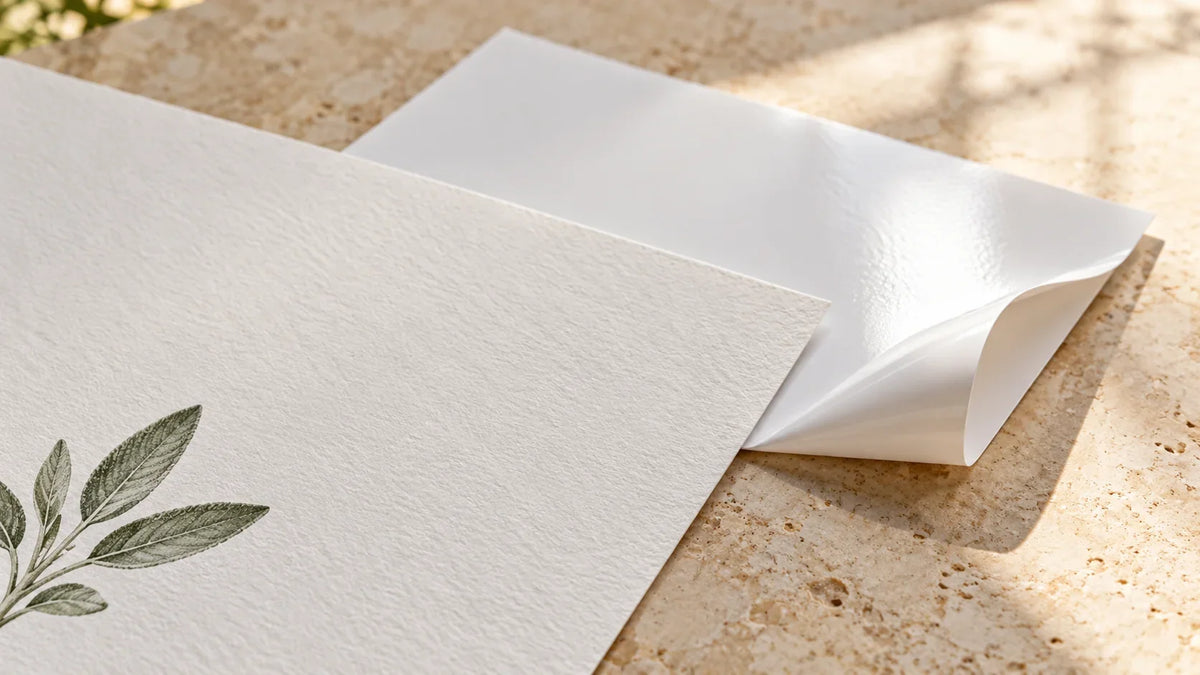
For a dry journal page or paper gift label, ordinary sticker paper is often a sensible starting point. For a project exposed to splashes or frequent handling, look for a printable film product with documented performance for that use. The important distinction is not simply “paper versus vinyl”: the finished sticker depends on its face material, print coating, ink, adhesive, and any protective layer.
Printable vinyl is a film-based sticker material, while conventional sticker paper has a paper face. Both can carry printed artwork and a peel-away backing. Neither name, by itself, tells you whether your printer can use it or whether the finished sticker can survive washing.
First, separate the material from the finish
A sticker sheet has more than one part. The face is the surface that remains on your project; the adhesive holds it there; the liner protects the adhesive before application. A printable surface may also have a coating designed to accept particular inks. An added laminate is another layer, not another name for the printable sheet.
“Matte” and “glossy” describe finish, not necessarily the underlying material. Both paper and film products can have different finishes. Likewise, “sticker paper” is sometimes used loosely in product names. Read the actual material description rather than assuming every sheet with that phrase has a paper face.
Avery's material comparison separates face material, adhesive, printer compatibility, and resistance properties. That is a useful way to read any label specification: as separate answers, not a single quality ranking.
Printable vinyl vs. sticker paper at a glance
| Question | Conventional sticker paper | Printable vinyl or other film |
|---|---|---|
| What is the face? | Paper, sometimes with a specialty coating | Film; confirm the exact material rather than assuming every film is vinyl |
| Typical project to consider | Dry journal pages, paper labels, gift packaging | Durable labels or decals when the specific product supports the conditions |
| Can it go in my printer? | Only if its printer and feed requirements match | Same check; film is not automatically compatible |
| Can it get wet? | Do not assume ordinary paper is suitable; specialty products differ | Verify the finished print, not only the unprinted film |
| Is it removable? | Depends on adhesive and surface | Depends on adhesive and surface |
| Which cutting setting? | Match the actual material and machine | Match the actual material, including any laminate |
Waterproof is a finished-system claim
Water-resistant, waterproof, dishwasher-safe, and suitable for outdoor use are not interchangeable promises. A label can resist a splash yet be unsuitable for immersion. A waterproof product can still have washing or sunlight limitations.
Avery's water-resistance guidance provides a specific example: its Durable White Film labels have different water-performance claims depending on whether they are printed with dye-based inkjet ink, pigment-based inkjet ink, or a laser printer. That example is not permission to use those printers with a different brand's film.
Cricut's Printable Waterproof Sticker Set uses a printable vinyl layer plus a matching laminating layer. Cricut still recommends handwashing embellished items. Its instructions also discuss possible ink fading despite the set's UV-protective properties.
For a water bottle, therefore, ask a more precise question than “Is vinyl waterproof?” Ask whether this printed-and-finished combination is intended for the bottle's surface and care routine. Do not turn a splash-resistant label into a dishwasher-safe product claim just because the artwork still looks good after one casual wipe.
Printer compatibility is separate from paper or film
Some printable materials are made for inkjet printers, some for laser printers, and some for both. Follow the exact package and printer instructions, including accepted media thickness and feed method. The material category alone is not enough to decide.
For example, Cricut's Printable Sticker Paper instructions specify inkjet use and warn against using a laser printer. Its older and newer paper versions also have different liners and corresponding material selections. A familiar brand name does not mean every version should use the same setup.
Do not assume that “photo quality” fixes an incompatible sheet. Nor should you substitute one ink type because another product's instructions recommend it. When the documentation conflicts, identify the exact sheet and printer model before printing a whole batch.
Cutting and applying: what actually changes?
The printed design and the cut boundary are separate decisions. Choose the finished shape first, then use the workflow supported by your equipment. A simple rounded label is a useful trial because it reveals sizing and handling issues without an intricate outline.
Do not reuse a setting merely because both packages say “sticker.” Cricut's Printable Vinyl instructions list material-specific choices and tell users to let the ink dry before cutting. Added laminate changes the material stack, so use instructions for that combination rather than treating it as the original bare sheet.
Application can also differ from an ordinary cut-vinyl project. Cricut explicitly says not to use transfer tape with its Printable Vinyl because it can remove the printable coating. Its paper stickers are also peeled and applied without transfer tape. Do not import the transfer-tape step from a lettering tutorial without checking your printable material.
If you meant separate letters cut from solid-colored adhesive vinyl, that is a different project from a full-color printed sticker. Our beginner SVG guide for Cricut Design Space covers preparing cut-file artwork rather than choosing a printable coating.
Choose by the job the sticker needs to do
A reading journal that stays indoors
The main questions are whether the sticker fits the page, adds unwanted thickness, and accepts your pen if you plan to write on it. Ordinary paper may meet those needs without a protective film. Try one spare label with the pen you actually use. Do not upgrade the material for water resistance you do not need.
A gift box with a personalized label
Consider the box surface and how long the label needs to stay in place. A smooth paper gift box and a textured or coated box are not the same application. Check adhesion on a spare piece or inconspicuous area before preparing every gift. Choose permanent or removable adhesive deliberately; paper versus vinyl does not decide that for you.
A bottle or frequently handled container
Start with the required care conditions, then look for documented support for those conditions. Check the surface, ink, protective layer, and washing instructions as one system. If the combination is not supported, choose a different material or a dry-use project instead of making a durability promise you cannot substantiate.
The short decision
Choose a paper-based product when it meets the needs of a dry paper project. Consider printable film when the application calls for properties a specific film product actually provides. In either case, a compatible sheet with clear instructions is a better choice than an impressive material name with missing details.
Once the material is settled, choose a manageable project from our beginner Cricut project ideas. Keep the first sample small and evaluate it against its real purpose—not against a blanket promise that one material is always better.

Save This Guide for Later
Keep this guide handy for your next creative afternoon. Copy the link to save or share it.
No email needed. Save the link in your notes or bookmarks.


Comments & Reviews
Be the first to share your thoughts.