
Cricut Tools for Beginners: What You Actually Need
The most useful beginner Cricut toolkit is not necessarily the biggest bundle. It is the set of compatible tools and materials needed to finish one specific project. A vinyl label, cardstock tag, and printed sticker sheet do not require the same supplies.
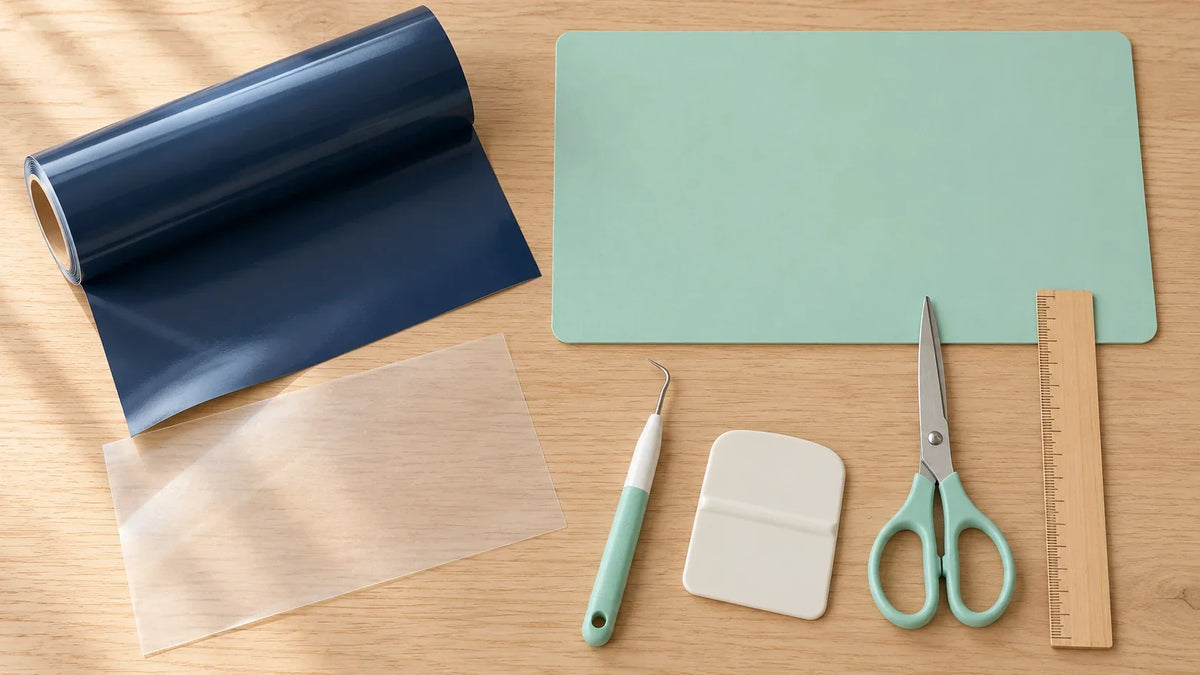
Start by choosing the project, checking what came with your machine, and identifying what is genuinely missing. This guide does not rank products or promise that one accessory suits every Cricut model.
Start with the machine setup you already own
Confirm your exact model, compatible blade or tool, and supported loading method. Check the contents of your purchased bundle instead of assuming that a mat or accessory is included. Package contents can differ.
For mat-based projects, use a compatible mat suited to the material. Cricut's mat compatibility guide distinguishes machine families and mat choices. A mat that is the right color is not necessarily the right size or type for your machine.
You also need a compatible device running Design Space, the project material, and a way to measure the blank. A ruler you already own may do that job perfectly well. Buy for a missing function, not simply because an item appears in a crafting setup photo.
Match the starter supplies to one project
| First project | Start with | Do not buy just for this project |
|---|---|---|
| Adhesive-vinyl label | Suitable vinyl, blank, weeding tool, appropriate transfer tape, burnishing tool | A heat press or printer |
| Simple cardstock tag | Cardstock, compatible mat, paper adhesive if assembling layers | Vinyl transfer tape or heat equipment |
| Iron-on tote | Compatible iron-on, suitable tote, weeding tool, approved heat setup | Adhesive-vinyl transfer tape as a substitute for its carrier |
| Printed sticker sheet | Compatible printer, printable material, supported Print Then Cut machine | Specialty engraving or embossing tools |
This is a planning checklist, not a universal package list. Check the selected material's own instructions, including its required application method. Some projects need additional supplies; others are simpler than an online shopping bundle suggests.
For adhesive vinyl: prioritize removal and transfer
A weeding tool helps remove unwanted vinyl from around and inside the cut design. A scraper or suitable burnishing tool helps press transfer tape and vinyl during application. Transfer tape carries separate letters or shapes while maintaining their arrangement.
Choose tape for the exact vinyl rather than buying the strongest option automatically. Cricut's vinyl guidance points to product-specific transfer requirements. A small plain label is a better first test than a crowded design with tiny lettering.
You do not need a printer to make an ordinary cut-vinyl name decal. The machine cuts the colored material itself. Likewise, a heat press is not needed merely because the project involves adhesive vinyl.
For paper: think about lifting and assembly
Paper projects may benefit from a spatula for lifting cut shapes from the mat and tweezers for handling small pieces. Cricut's Basic Tool Set guide describes those functions alongside scissors, a weeder, and a scraper.
That does not mean every paper project needs every tool. A large single-layer tag involves fewer handling steps than an intricate layered decoration. Start with a simple shape, then add a tool when a real task calls for it.
Scoring tools are relevant to projects with supported score lines and compatible machines. Do not buy one solely for a flat bookmark or tag that has no score step. Check the project and tool compatibility first.
For iron-on: plan the heat setup separately
Iron-on projects need an appropriate heat application method as well as cutting and weeding supplies. Check the iron-on, fabric, and heat equipment instructions together. The correct temperature, time, pressure, and peel procedure depend on that combination.
Do not assume a specialized press is required for every material, or that any household iron is suitable for every project. Follow the specific instructions before purchasing equipment. Also check whether the blank's fabric, seams, coatings, and construction suit the intended application.
For printed stickers: check compatibility before buying paper
A printer is a project-specific requirement for Print Then Cut, not a general requirement for owning a Cricut. Check the machine, printer, and printable material together using Cricut's Print Then Cut guidance.
Keep the first test small. Do not buy a large stack of specialty paper based only on the appearance of a finished sticker online. The printable material and printer must work together, and the completed result may need separate care considerations.
Useful extras can wait until you have a reason
A brayer, extra mats, specialized blades, large organizers, and decorative accessories may become useful later. They are not automatically first-day essentials. Ask what specific problem each purchase solves and whether it works with your model.
If you repeatedly struggle to handle tiny pieces, a precision tool may be justified. If your first project contains only three large shapes, buying several specialty tools in advance may not help you finish it any sooner.
Use this short buy-or-wait test
- Name the exact project you will make next.
- List the steps it requires: cut, weed, transfer, print, press, or assemble.
- Check your existing supplies against those steps.
- Verify machine and material compatibility for each missing item.
- Buy only what the first complete sample requires.
Need a project to anchor the list? Browse our beginner Cricut ideas. If choosing artwork is the next hurdle, our craft-file overview introduces the common formats.
A small, compatible toolkit that you understand is more useful than a full drawer of accessories bought for projects you have not chosen yet.

Save This Guide for Later
Keep this guide handy for your next creative afternoon. Copy the link to save or share it.
No email needed. Save the link in your notes or bookmarks.


Comments & Reviews
Be the first to share your thoughts.